productivity
Developer workflows, tooling strategies, automation techniques, and approaches to working more effectively as a software engineer.
8 articles
Making AI Memory Capture More Reliable

TL;DR Tool-specific integrations capture supported conversation events and place them in a shared queue. A separate workflow reviews the captured information and adds useful context to persistent memory.
In Building a Local AI Memory Repository, I established a Markdown repository as a persistent, agent-accessible knowledge source. Agents could read from it and update it, and it gave me a stable place to store what mattered across sessions. The approach worked, but memory maintenance still depended on agents remembering to perform additional steps during ordinary conversations.
Read more →Building a Local AI Memory Repository
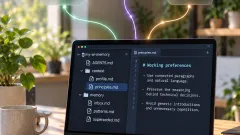
TL;DR A local Markdown repository keeps AI memory on your machine, so you don't have to copy context between tools by hand, and you keep control over what each tool can see.
In When AI Memory Doesn't Follow You Between Tools, I described how I used Obsidian to share knowledge between ChatGPT, Claude Code, and local AI models. That approach worked, but retrieving relevant information and preserving new observations still depended on me initiating each step.
Read more →When AI Memory Doesn't Follow You Between Tools

TL;DR AI memory helped me build on past conversations, but knowledge stayed split across tools. Using Obsidian as a shared source showed what's possible, while revealing where manual context transfer still needs work.
I use several AI tools regularly, each for a different purpose. ChatGPT helps with developing ideas, writing articles, reviewing texts, and reflecting on experiences. Claude Code supports my technical work, from investigating problems to planning implementations and reviewing architectural decisions. Local AI models handle personal material I prefer to process on my own machine.
Read more →Keeping Knowledge Useful: What I Learned from 1,000+ Obsidian Notes
 productivity
 Ammar Najjar · October 11, 2026 · 8 min read
TL;DR My move from Notion to Obsidian gave me a file-based foundation. Reviewing more than 1,000 notes showed me how tags, metadata, links, and navigation need to evolve with the collection.
I recently took a closer look at my Obsidian vault, a collection that has grown steadily over time. It contained more than 1,000 notes and supporting Markdown files on books, conversations, technical knowledge, decisions, and writing. Among them, I found tags with overlapping meanings, book notes with incomplete metadata, several decisions stored together in a long file, and navigation pages containing little more than a heading.
Read more →My Local AI Setup, Six Months Later: 48 GB, Qwen3.8, and a Different Bottleneck

TL;DR Six months after the 16 GB setup: 48 GB, one default 27B model, Splash inference in LM Studio, and 64K context, because the constraint moved from fitting a model to keeping long agent sessions usable.
A few months ago, I wrote about running a useful local AI development setup on a MacBook Pro with 16 GB of unified memory. At the time, memory shaped almost every decision. I experimented with smaller models, limited context carefully, and looked for a combination that was capable enough for coding while still leaving room for my IDE, containers, browser, and the rest of my development environment.
Read more →My Local AI Coding Toolkit: How I Keep Agents Fast and Token-Efficient
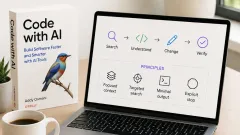
TL;DR How I optimize the environment around AI coding agents to reduce token waste and keep sessions efficient.
AI coding agents have become part of my daily workflow. I use OpenCode and Claude Code for everything from exploring unfamiliar codebases and investigating bugs to implementing changes, reviewing code, and working through architectural questions.
Read more →Local AI on a MacBook Pro with 16 GB RAM: What Actually Works
TL;DR Practical guide to running local AI coding assistants on a 16GB M1 MacBook Pro, what works well, what doesn't, and the real setup trade-offs.
Running AI coding assistants locally sounds appealing: no API costs, your code stays on your machine, and you get a Claude Code-like experience for free. But getting it to actually work well on a 16 GB MacBook Pro M1 takes more trial and error than most guides admit.
Read more →Essential Development Tools: My Brewfile Setup
TL;DR My curated list of essential macOS development tools via Homebrew that significantly boost daily productivity and workflow enjoyment.
As a software engineer, our toolset shapes how we work and what we can accomplish. Over time, I've curated a collection of essential tools that boost my productivity and make development more enjoyable. Here's a breakdown of my Homebrew setup, featuring the tools I use daily.
Read more →