On this page
Making Angular AI Work in Real Projects
 Ammar Najjar
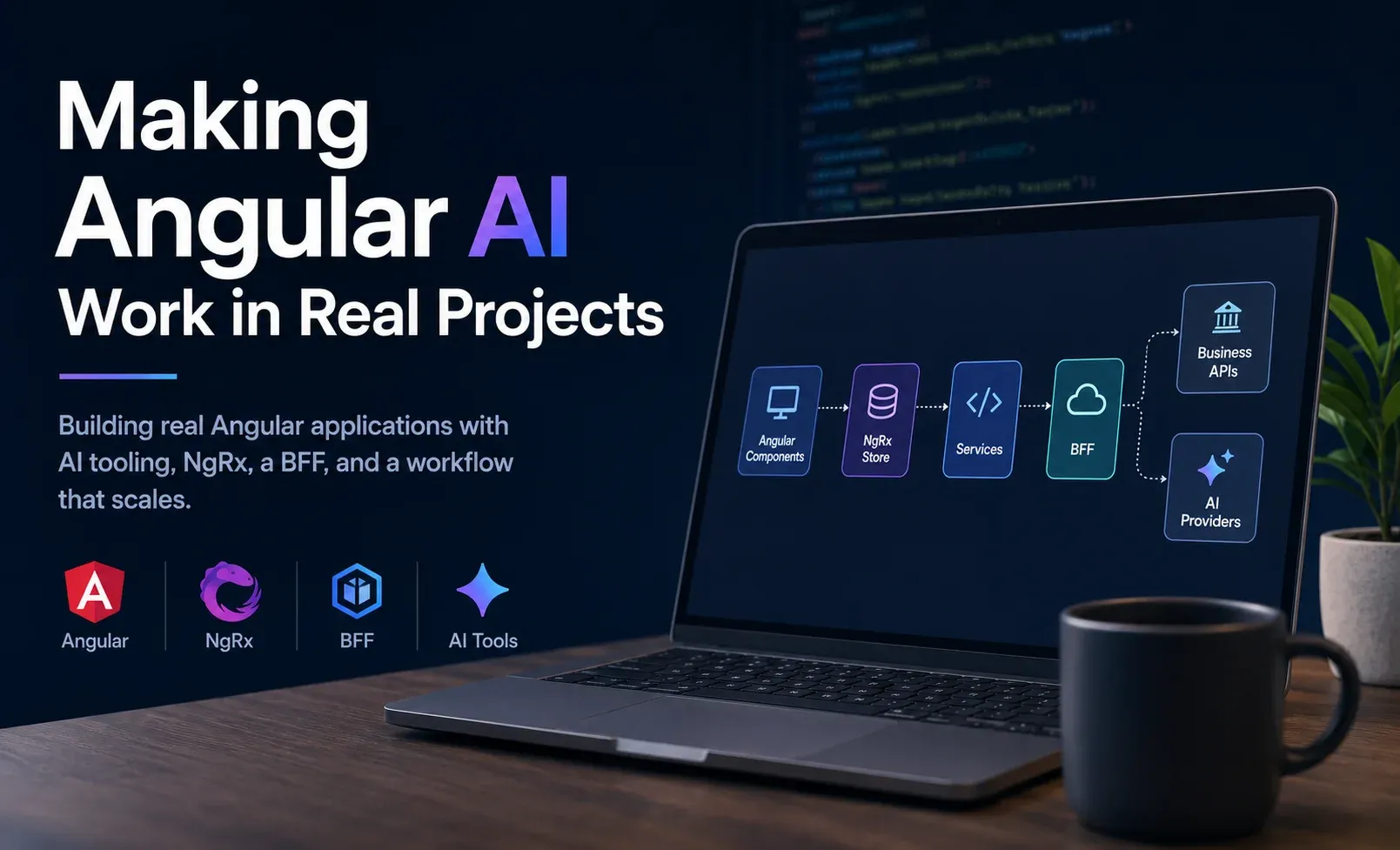 AI-generated image
AI can generate a component, write a test, or explain a compiler error. But in real applications, results depend more on project context than model capability. It doesn’t understand your architecture, your conventions, or the boundaries you built over years.
Angular recently released a set of AI-focused additions that change this. MCP, Agent Skills, AI instructions, Signal Forms. Together they form something more interesting than another AI integration.
Here is how I’m integrating these pieces into an enterprise Angular workflow.
Making Angular AI Work in Real Projects
I stopped looking at features
When I first read about Angular CLI MCP, Agent Skills, AI instructions, Signal Forms and the other additions, I evaluated each of them independently. That turned out to be the wrong approach. Today I see them as parts of the same toolbox. Each one solves a different problem. Some help the assistant understand Angular. Others help it understand my workspace. Some improve implementation. Others improve verification.
Once I started looking at them as one ecosystem instead of individual features, everything became much easier to understand. The same principle shows up in my local AI coding toolkit: the environment matters as much as the model, and giving an agent the right context changes what it can do.
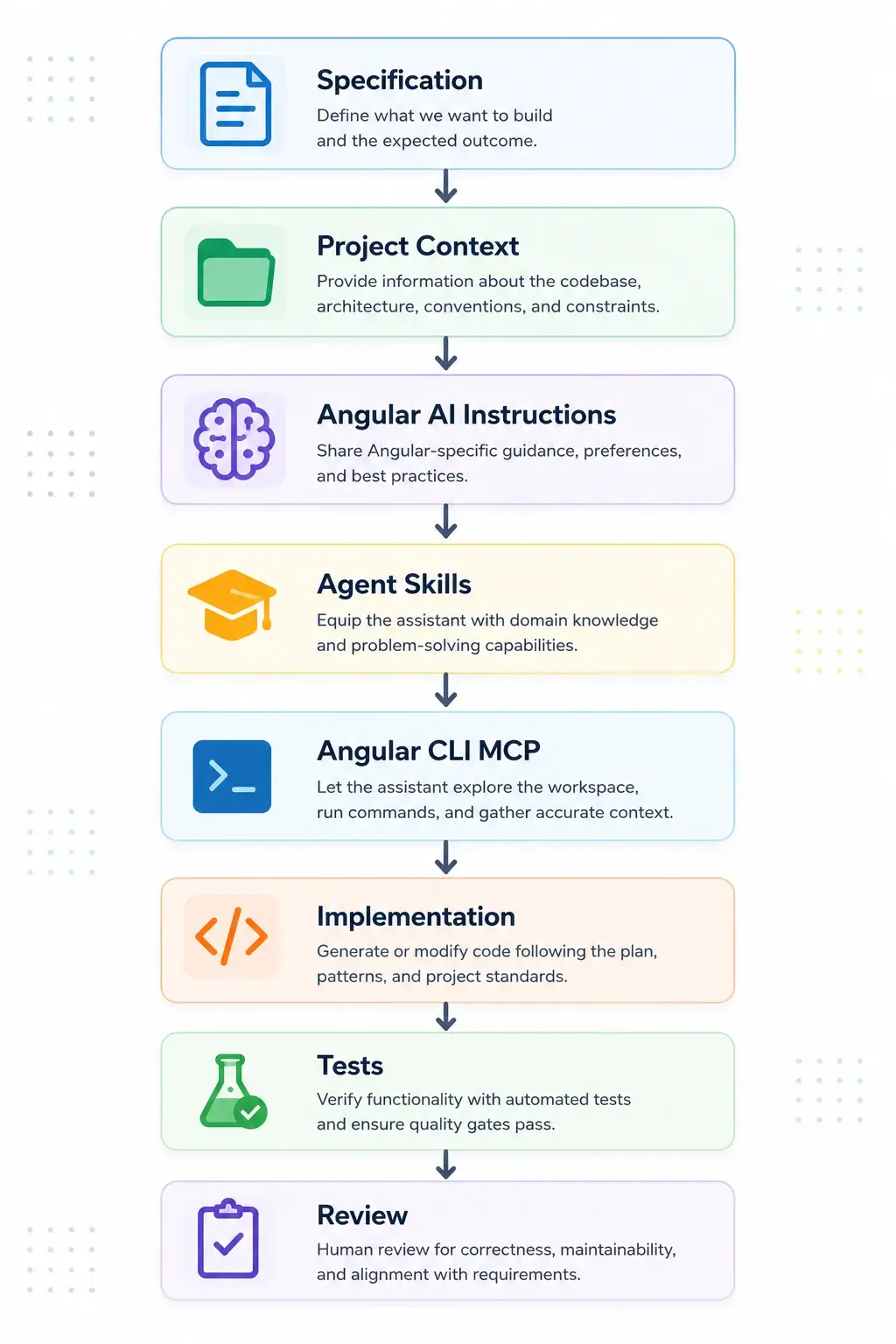
When I ask the assistant to add a feature, MCP tells it which project is affected, which build targets to run, and which tests exist. Agent Skills tell it how components should be structured in this workspace. AI instructions keep it within our conventions. Before, I would have had to correct all of that manually. Now the assistant arrives with most of the context it needs.
My application architecture didn’t change
One thing that did not really surprise me. Runtime architecture didn’t change. Angular applications still look the same.
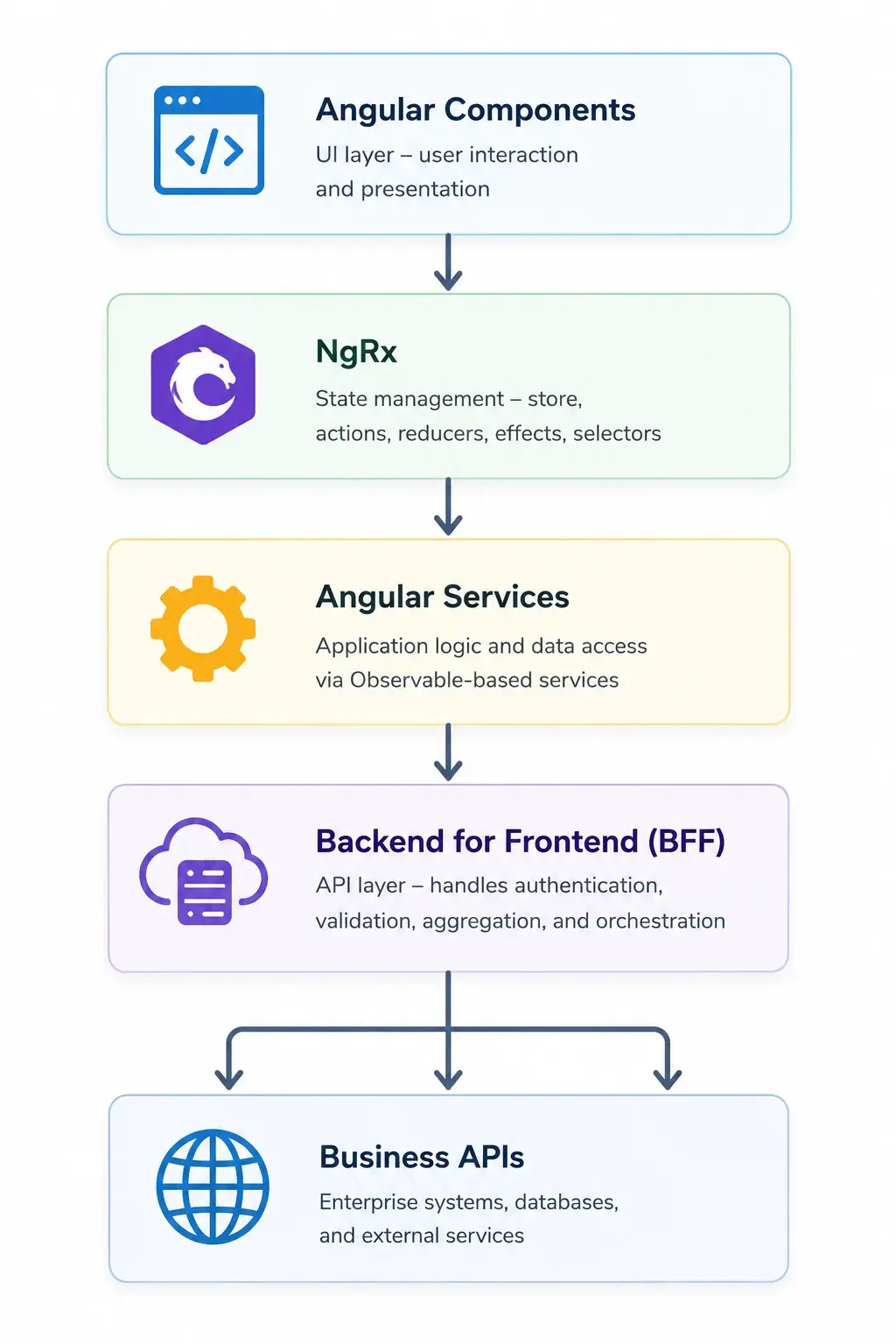
The BFF still owns everything related to API (Authentication, Authorization, Validation, Caching, Tool calling, Observability). The Angular application still talks to typed contracts. NgRx still owns feature state, which I map with ngrx-graph. Services still return Observables. That architecture already worked well before AI became part of the application. I don’t see a reason to replace it. What changed was the development workflow around it.
When AI tooling became part of the picture, I had to decide where it belonged. LLM calling, prompt construction, tool handling. The natural split was between the BFF and the Angular application. The BFF already owned auth, validation, and caching. Putting AI tooling there meant those cross-cutting concerns stayed in one place. The Angular application stayed focused on rendering and user interaction. That decision felt right from the start and hasn’t changed.
The biggest change happened before implementation
I used to start with implementation. Today I start somewhere else. I start with a small specification. Nothing complicated. Usually just enough to answer:
- What problem are we solving?
- What belongs to this feature?
- What doesn’t?
- Which architectural boundaries matter?
- What does “done” actually mean?
Here is a minimal example of what one of those specs looks like in the repository:
## Feature: Audit log export

### Problem
Compliance team needs to export audit logs as CSV for quarterly reports.
Currently manual DB queries.

### Scope
- New route: /audit/export
- BFF endpoint: GET /api/audit/logs/export?from=&to=&format=csv
- NgRx effect to trigger download
- Loading state in toolbar component

### Boundaries
- No UI changes beyond toolbar button
- BFF handles auth + rate limiting
- CSV generation happens server-side

### Out of scope
- PDF export (future)
- Real-time streaming

### Done
- Export completes < 10s for 30-day range
- Error state handled in UI
- E2E test for happy path
That specification lives inside the repository. Once it exists, the rest becomes much easier. The assistant doesn’t have to reconstruct the feature from a conversation. Reviewers don’t need to guess the original intention. Spec becomes the shared reference.
Angular finally understands Angular
One of the things I appreciate most is that Angular itself now participates in this workflow. The AI instructions, llms.txt, Agent Skills and Angular CLI MCP all help reduce something I used to see regularly:
Angular code that technically worked but didn’t really look like Angular. Or more precisely, it didn’t look like modern Angular.
Having framework-maintained guidance dramatically improves that. The assistant now understands much more about the framework before it starts generating code. That reduces the amount of correction afterwards.
Before, the assistant might generate something like:
@Component({
  selector: 'app-audit-export',
  template: `<div>...</div>`
})
export class AuditExportComponent {
  constructor(private http: HttpClient) {}
  // inline state, no signals, no standalone
}
Now it produces code that actually matches the project:
@Component({
  selector: 'app-audit-export',
  standalone: true,
  imports: [FormsModule],
  template: `<div>...</div>`
})
export class AuditExportComponent {
  private readonly store = inject(Store);
  readonly exportState = this.store.selectSignal(selectExportState);
}
Angular CLI MCP changed my expectations
Angular CLI MCP is probably the feature that had the biggest impact on my Angular work. Not because it generates better code. Because it changes what I expect from the assistant. Before touching a feature, I now expect the assistant to understand the workspace. I expect it to know:
- which project is affected
- where the feature lives
- which build target should pass
- which tests belong to that feature
- which Angular APIs are appropriate
Those expectations feel much closer to how another engineer would approach the task.
I don’t measure success by generated code anymore
The quality of generated code still matters. Just not as much as before. Today I pay much more attention to questions like:
- Did the assistant understand the architecture?
- Did it stay inside the boundaries of the feature?
- Did it keep NgRx where NgRx belongs?
- Did it respect the BFF?
- Did it preserve existing contracts?
- Did it leave behind something another developer can review comfortably?
Those are much better indicators of success than the number of lines generated.
The other side of Angular AI
So far I’ve talked about AI as a development tool. Angular’s AI ecosystem covers something else too: building AI-powered applications directly. Genkit, Firebase AI Logic, and the Gemini API provide different paths for adding AI features to your Angular apps. The design patterns for working with LLM APIs using signals and the resource API are worth exploring on their own. That’s a different conversation, but it’s part of the same ecosystem.
Where I’m heading next
Some parts of Angular’s AI ecosystem are already part of my daily workflow. Others are still proving themselves. There is more to explore. Each piece deserves its own look, not as a feature announcement, but as part of how Angular development works now.
I’m curious how this compares to what others are experiencing. If you’re using Angular’s AI tools in your own projects, I’d like to hear what’s working, what isn’t, and which pieces you found useful or disappointing. The ecosystem is moving fast enough that no single perspective covers everything. Drop your thoughts in the comments or reach out directly.
I read every response.